
BassCamp
One powerhouse. Deeper bass.
Quick Setup Guide
What's in the Box
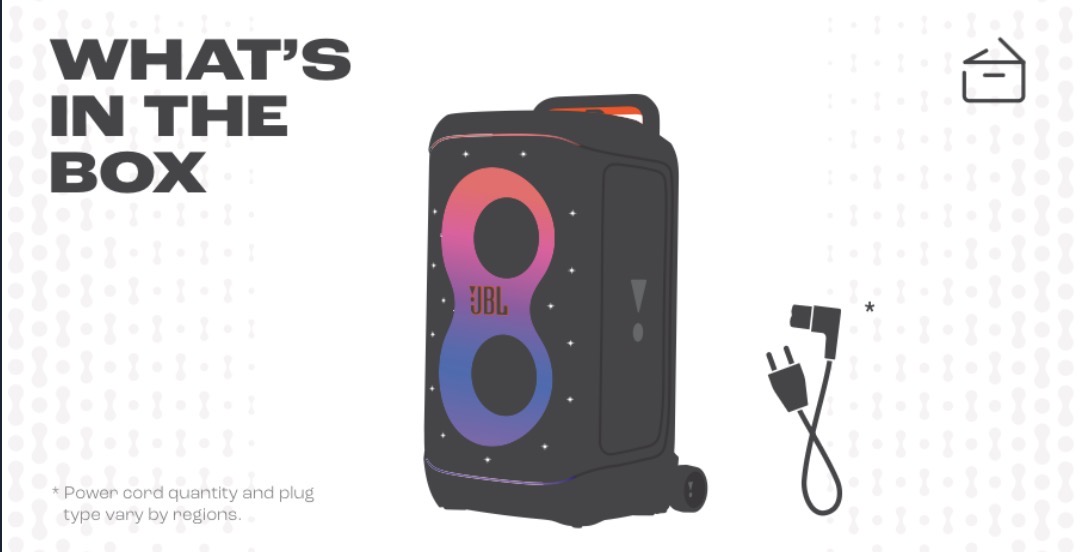
Your speaker comes fully charged and ready to party — just power it on and connect your phone.
Bluetooth Pairing
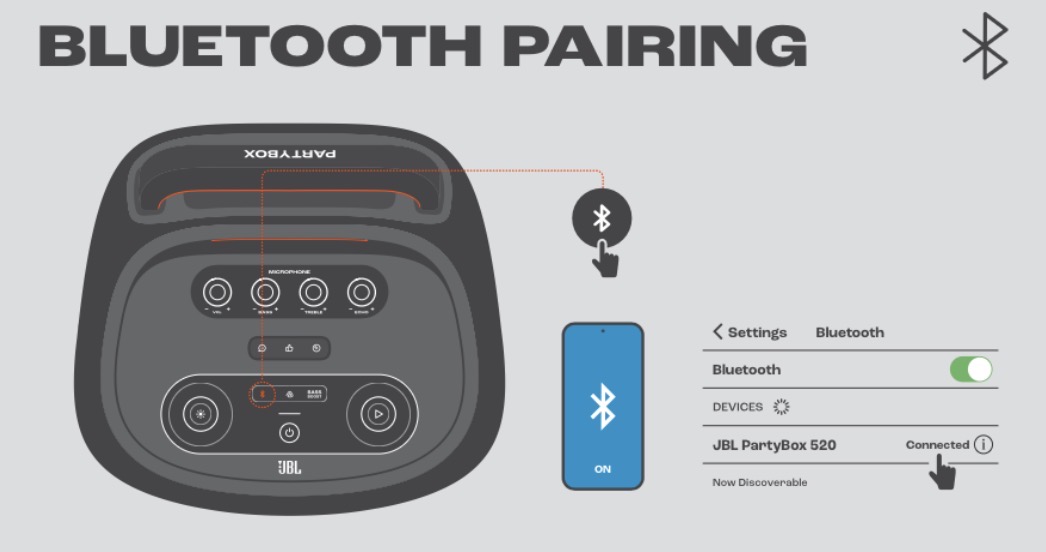
Press the Bluetooth button on the speaker, then select "JBL PartyBox 520" in your phone's Bluetooth settings.
Play Controls
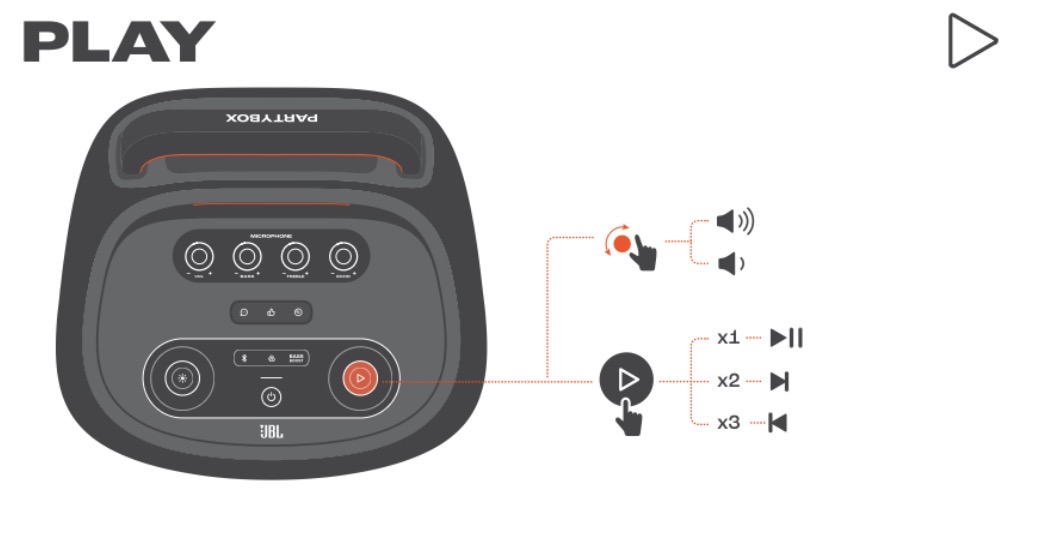
Tap once to play/pause, double-tap for next track, triple-tap for previous. Turn the dial for volume.
Lightshow
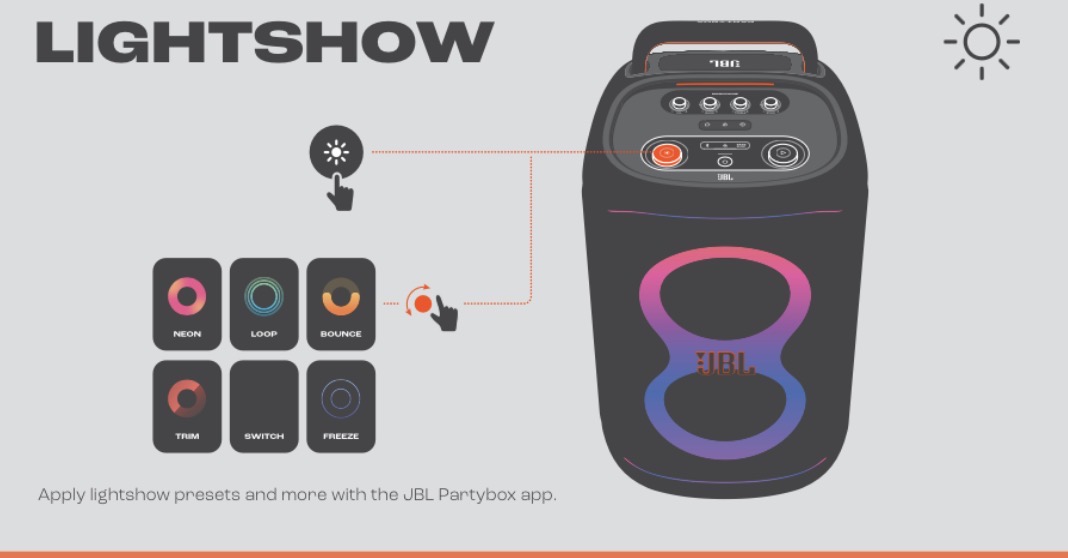
Press the Light Show button to cycle through patterns. Download the JBL Partybox app for custom presets.
Charging
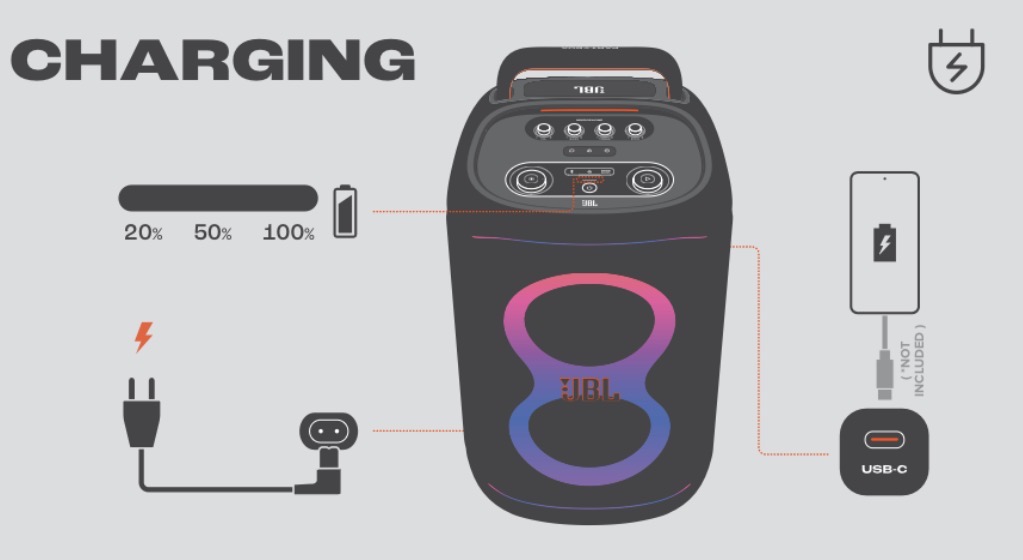
Plug in the power cord to charge. The speaker can also charge your phone via USB-C (cable not included).
Wireless Microphone
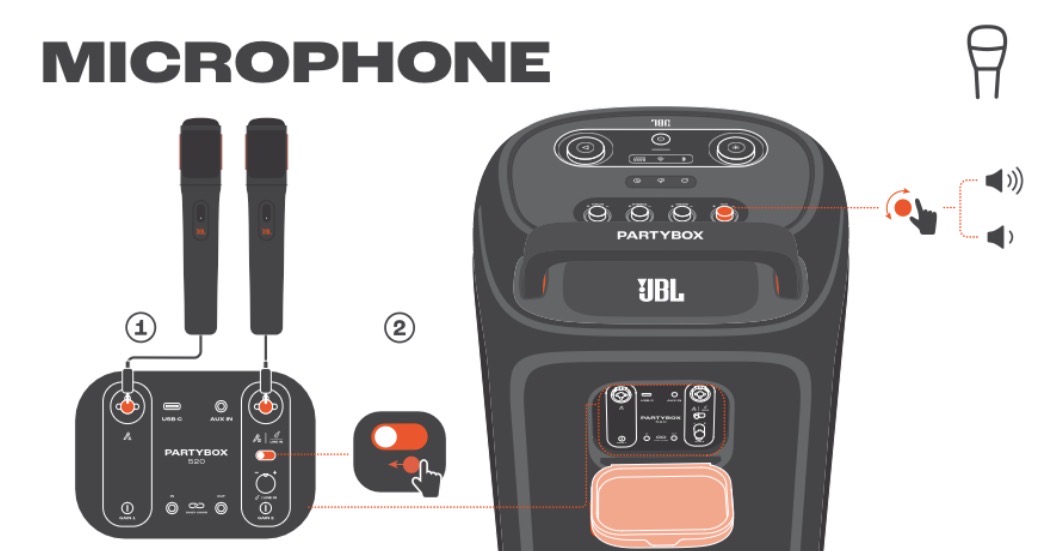
If you added a wireless mic, turn it on — it auto-connects to the speaker. Use the MIC knob on the back of the speaker for volume.
Quick Troubleshooting Guide
How to turn on
Press and hold the Power button on the top panel for 2 seconds — the LED ring lights up.
How to pair via Bluetooth
Press the Bluetooth button on the speaker. On your phone, go to Settings → Bluetooth and select "JBL PartyBox 520." You'll hear a chime when connected.
No sound?
Tap Power once — it may be on standby. Check your phone's volume and the speaker's volume dial.
Won't pair?
Hold the Bluetooth button for 3 seconds until it flashes. Forget the device in your phone's Bluetooth settings and try again.
Moving it?
Tilt and roll using the retractable handle — don't lift by the handle bar. About 38 lbs.
Battery low?
Plug in the power cord to charge. The speaker can also charge your phone via USB-C (cable not included).
How to connect a wireless microphone
Turn on the wireless mic — it auto-connects to the speaker. Use the MIC knob on the back of the speaker for volume. Point the mic away from the speaker to avoid feedback.
In Your Kit
- JBL PartyBox 520 speaker (400W)
- Power cable
- This card
Need help? Text us: (971) 340-6540
Splash-resistant (IPX4), not waterproof. Have it ready at pickup. Thanks!
VibeBox LLC · Parker, Colorado · Big Sound. Big Screen. Big Moments.