
DuoDrop
Two speakers. Wider coverage.
Quick Setup Guide
What's in the Box
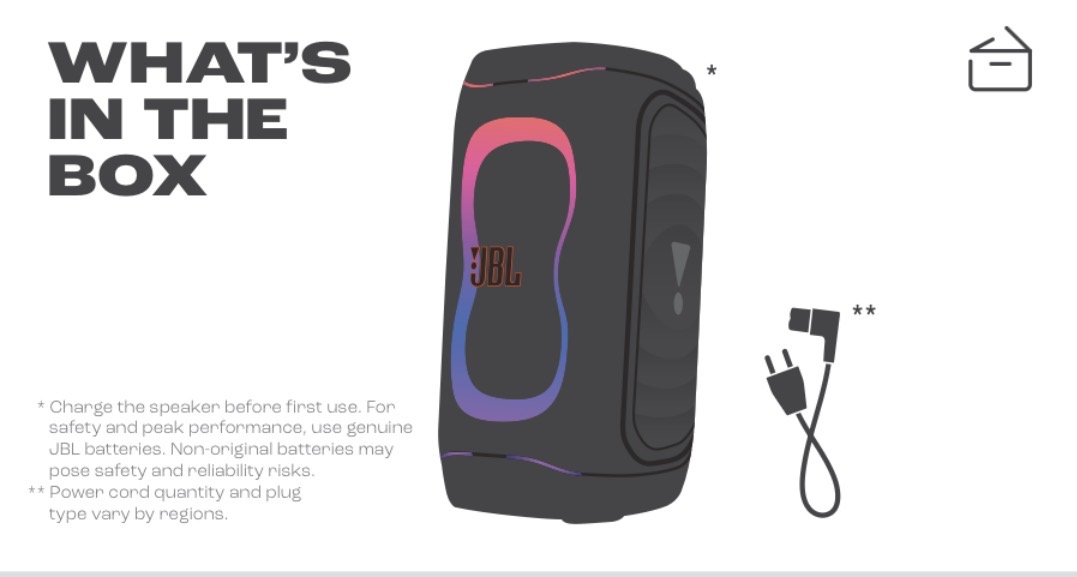
Both speakers come fully charged and ready to party — just power them on and connect your phone.
Bluetooth Pairing
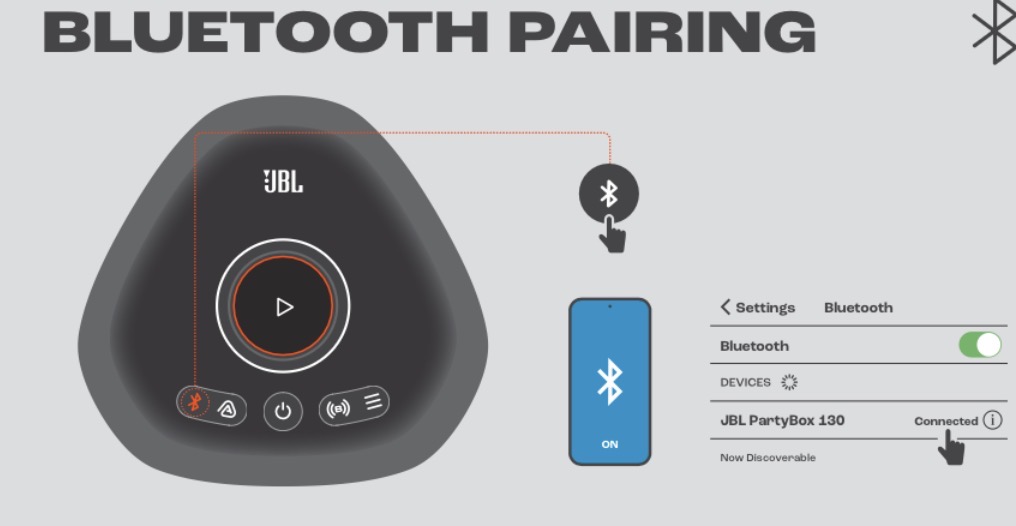
Press the Bluetooth button on the FIRST speaker, then select "JBL PartyBox 130" in your phone's Bluetooth settings.
Multi-Speaker Connection
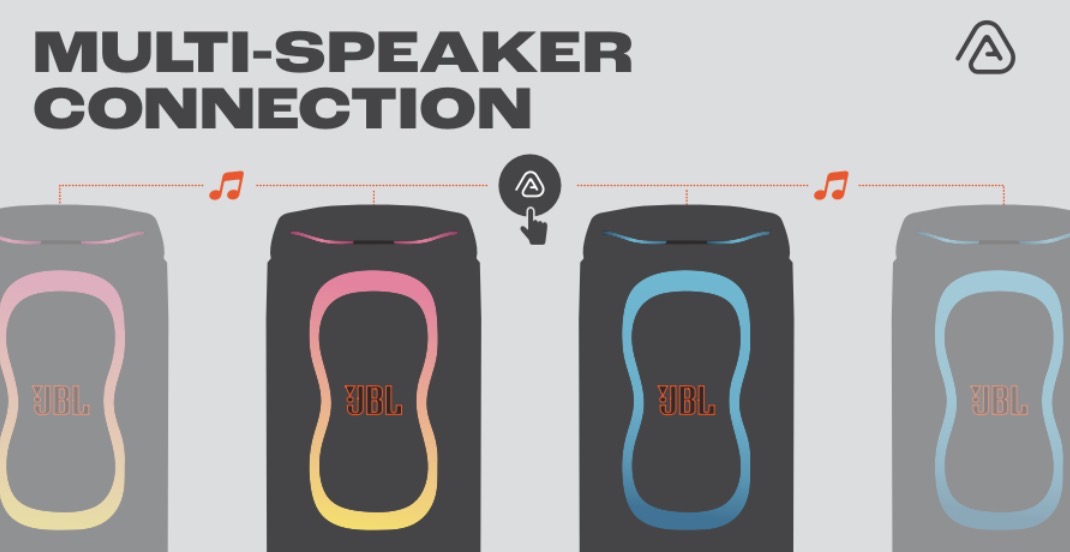
Press the Auracast button on the first speaker, then on the second — they sync automatically. Your phone pairs to the first speaker only.
Play Controls
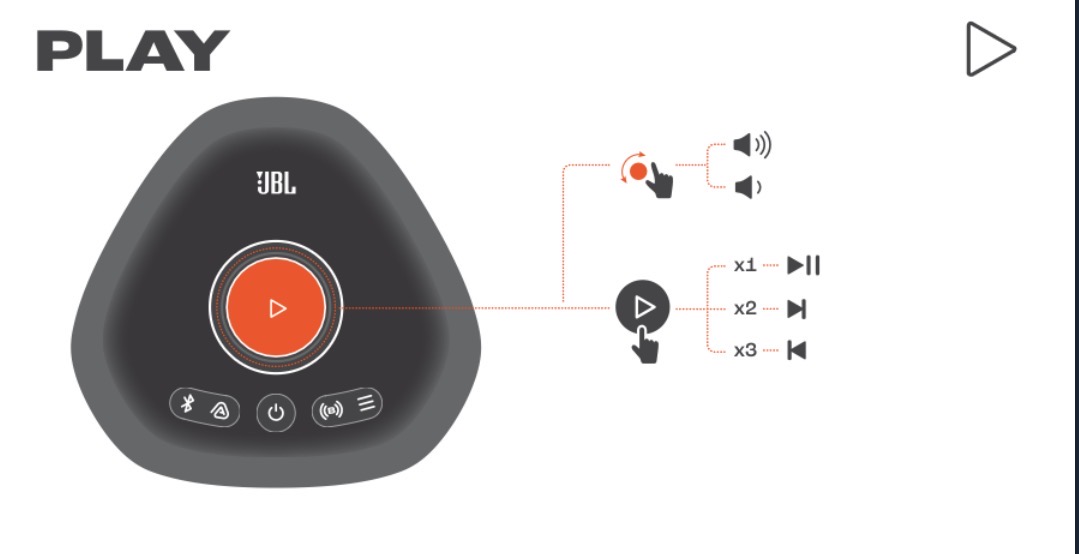
Tap once to play/pause, double-tap for next track, triple-tap for previous. Turn the dial for volume.
Lightshow
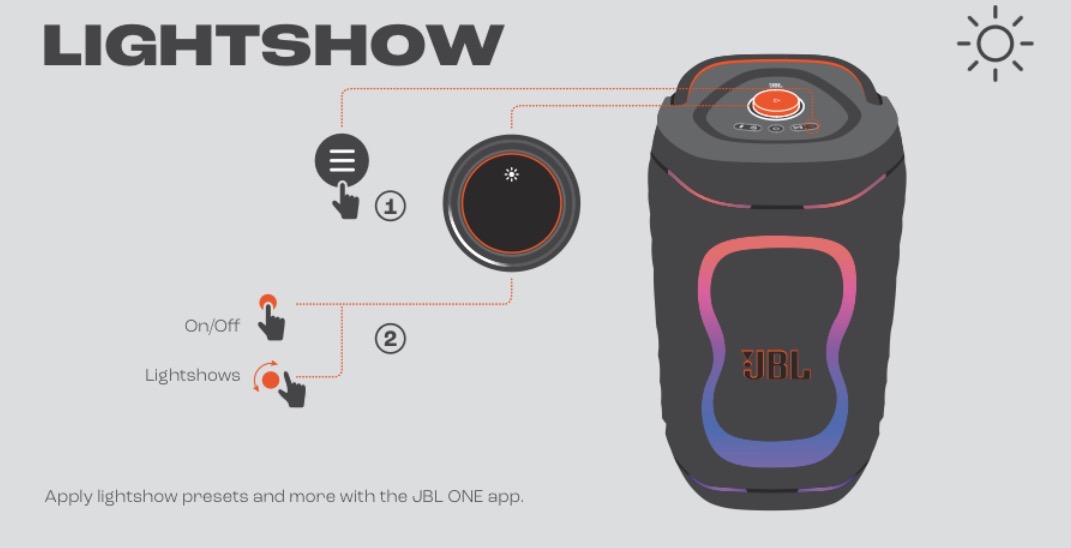
Press the Light Show button to cycle through patterns. Both speakers will sync their light shows via Auracast.
Charging
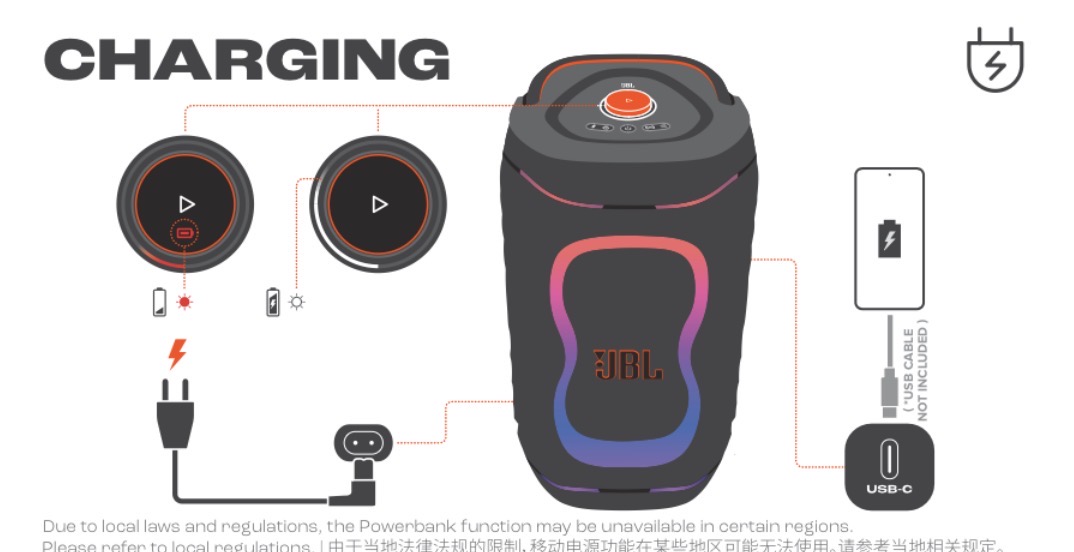
Plug in the power cord to charge each speaker. A 10-minute charge gives ~80 minutes of playback.
Wireless Microphone
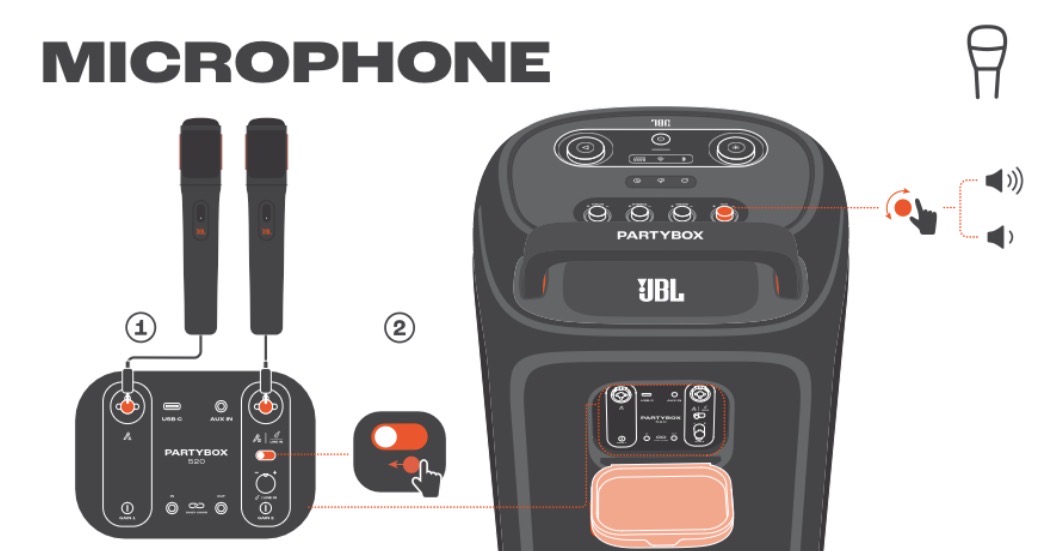
If you added a wireless mic, turn it on — it auto-connects to the first speaker. Use the MIC knob on the back of the speaker for volume.
Quick Troubleshooting Guide
How to pair speakers via Auracast
Press the Auracast button on the FIRST speaker, then press Auracast on the SECOND speaker — they sync automatically as stereo left/right. You'll hear a confirmation tone when paired.
How to connect your phone
After the speakers are paired via Auracast, pair your phone via Bluetooth to the FIRST speaker only — the second speaker follows automatically.
Only one speaker playing?
Your phone must be paired to the FIRST speaker (the one you started Auracast on). Check your phone's Bluetooth settings.
Speakers out of sync?
Press Auracast on the second speaker again to re-link. If still out of sync, turn both off, turn the first on, start Auracast, then turn the second on.
No sound?
Tap Power once on each speaker — they may be on standby. Check that your phone is connected to the first speaker.
Battery low?
Plug in the power cord to each speaker — 10 minutes of charge gives ~80 minutes of playback.
How to connect a wireless microphone
Turn on the wireless mic — it auto-connects to the first speaker. Use the MIC knob on the back of the speaker for volume. Point the mic away from the speakers to avoid feedback.
In Your Kit
- 2× JBL PartyBox 130 speakers (200W each)
- 2 power cables
- This card
Need help? Text us: (971) 340-6540
Splash-resistant (IPX4), not waterproof. Have both ready at pickup. Thanks!
VibeBox LLC · Parker, Colorado · Big Sound. Big Screen. Big Moments.